


Download Get Organized – Student Class Scheduler, Assignment Manager & Free Organizer for Mac
Overview
Get Organized is a purpose‑built academic planner that merges a full‑featured calendar with a powerful to‑do list, delivering a single, intuitive hub for every college or high‑school student who wants to stay on top of class schedules, homework, exams, and textbook requirements. Unlike generic productivity tools, this Mac‑only application is designed around the academic term structure, letting users group courses by semester or quarter, assign distinct colors, and embed detailed metadata such as room numbers, professor contact information, and textbook ISBNs. The result is a visual timetable that not only tells you when a lecture occurs but also surfaces upcoming assignments with priority tags, due dates, and even a one‑click email function to reach out to professors directly from the app.
The developers recognized that most students juggle multiple responsibilities, so Get Organized goes beyond a static calendar. It offers a portable version that can be run from a USB stick, making it easy to switch computers between dorm rooms, libraries, or coffee shops without losing data. While the feature set is extensive, a helpful startup prompt walks new users through each capability, and the prompt can be dismissed once you’re comfortable.
Whether you’re a freshman trying to avoid the dreaded “assignment overload” or a senior balancing capstone projects and part‑time work, Get Organized provides a secure, regularly updated environment that syncs locally on macOS and keeps your data private—no cloud subscription required. In short, it fills the gap left by traditional to‑do apps and calendar programs, delivering a comprehensive, free‑to‑try organizer that feels tailor‑made for academic life.
Key Features That Set Get Organized Apart
- Term‑Based Course Management – Create semesters or quarters, add courses, and assign custom colors for instant visual separation.
- Detailed Class Information – Store room numbers, building locations, professor names, office hours, and email addresses.
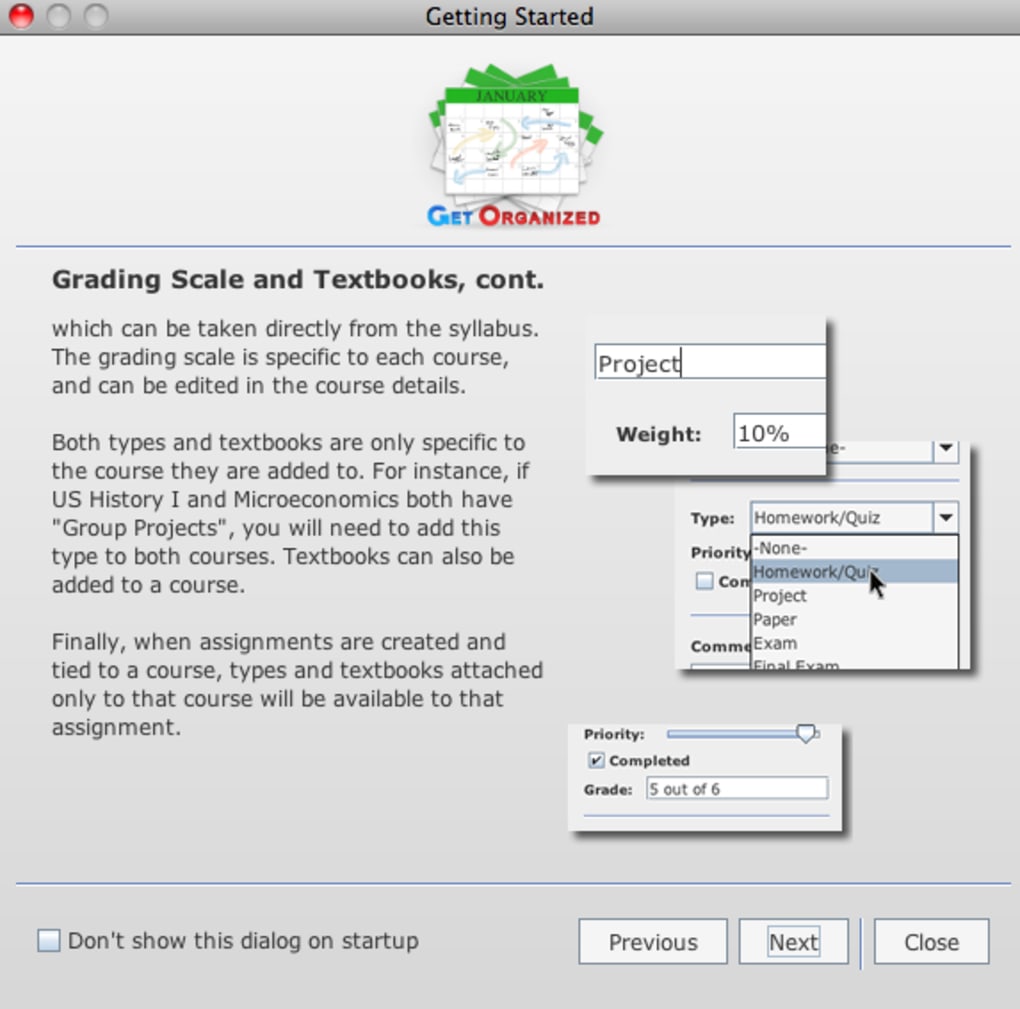
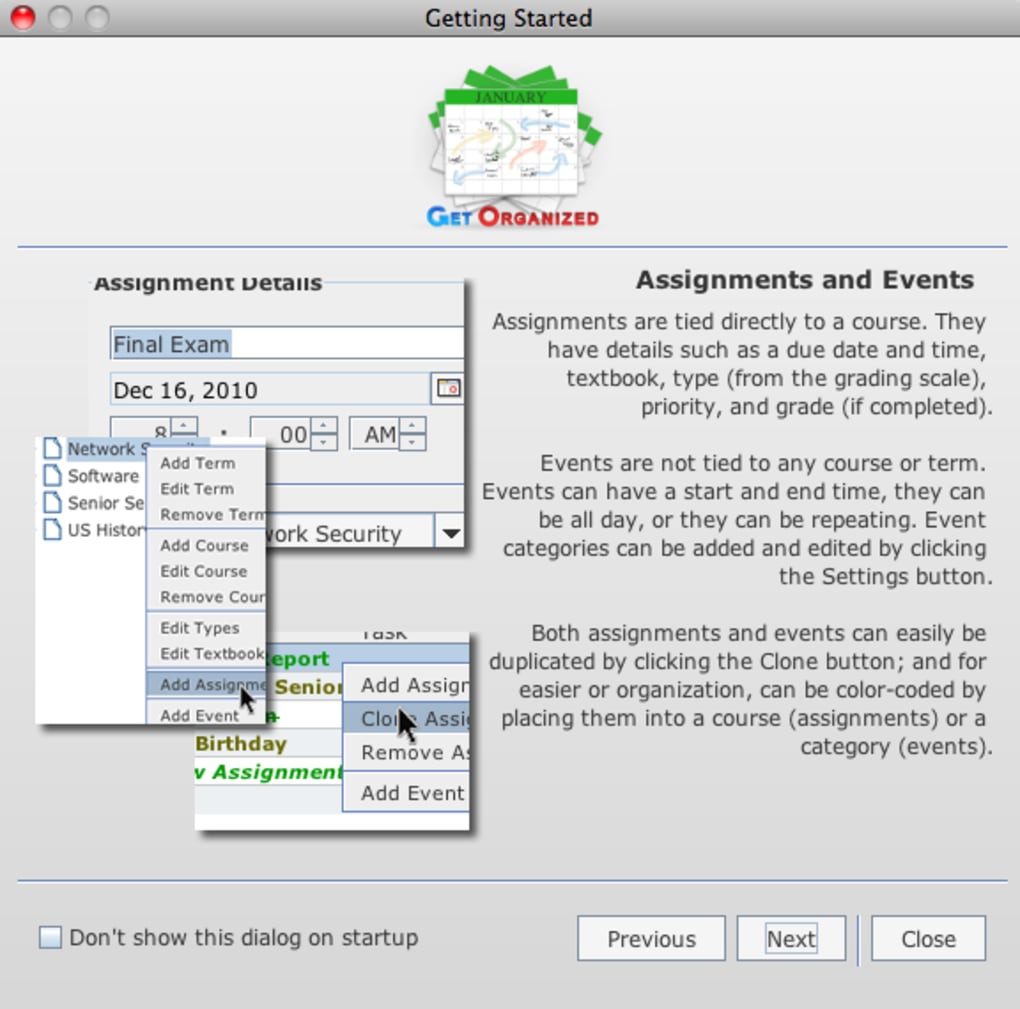
- Assignment Tracker with Priorities – Log homework, projects, and exam prep, set urgency levels, and receive visual alerts as due dates approach.
- Textbook Catalog – Attach ISBNs, purchase links, and required reading notes to each course, so you never forget a required book.
- One‑Click Professor Email – Integrated mail composer pulls the professor’s email address from the course record, streamlining communication.
- Portable Version – Run the full application from a USB drive on any Mac, keeping your schedule with you wherever you study.
- Customizable Views – Switch between weekly, monthly, or agenda views; filter by course, priority, or assignment type.
- Help Prompt & Guided Tour – An interactive walkthrough appears on first launch, ensuring you discover every tool without feeling overwhelmed.
- Secure Local Storage – All data remains on your device, protecting privacy and eliminating reliance on internet connectivity.
- Regular Updates & Bug Fixes – The development team releases free updates that improve performance, add minor features, and keep the app compatible with the latest macOS releases.
Installation, Usage Instructions & System Compatibility
Step‑by‑Step Installation Guide
1. Download the installer from the official Get Organized website. The file is a standard .dmg package, sized under 30 MB, making it quick to download even on slower campus Wi‑Fi.
2. Open the .dmg file and drag the Get Organized icon into your Applications folder. macOS will verify the app’s signature; if you see a warning about an unidentified developer, simply go to System Preferences → Security & Privacy → General and click “Open Anyway.” 3. Launch the app from your Applications folder.
The first launch triggers the built‑in help prompt, which walks you through creating your first term, adding courses, and inputting assignments. 4. Activate the portable version (optional).
Insert a USB drive, copy the GetOrganized.app bundle onto the drive, and run it directly. The app will ask where to store its data; choose the USB drive to keep everything synchronized.
How to Use Get Organized Effectively
After installation, start by defining your academic calendar. Click the “Add Term” button, name the term (e.g., “Fall 2025”), and set start/end dates. Within each term, click “Add Course” and fill in the course code, title, meeting days, and times.
Choose a color that resonates with the subject—blue for science, green for humanities, etc. Once courses are in place, switch to the “Assignments” tab to create homework items. Include a title, due date, and select a priority (Low, Medium, High).
For each assignment you can attach a brief description, a link to the assignment sheet, or even upload a PDF directly. The app automatically displays upcoming deadlines in the calendar view, and a red badge appears on the course color when an assignment is overdue.
System Compatibility – Get Organized runs on macOS 10.14 (Mojave) and later, including Ventura, Sonoma, and future releases. The app is optimized for both Intel‑based Macs and Apple Silicon (M1, M2, and later) thanks to universal binary support. It requires at least 200 MB of free disk space for the application bundle and a modest 50 MB for user data. No additional runtime (like Java) is needed, keeping the installation clean and lightweight.
Pros and Cons – What Students Love and What Could Be Better
Advantages of Using Get Organized
- All‑in‑One Academic Hub – Combines calendar, to‑do list, and textbook tracker in a single interface.
- Tailored for Education – Term‑based organization mirrors university structures, reducing setup time.
- One‑Click Professor Email – Saves time and encourages proactive communication.
- Portable Version – Perfect for students who move between labs, dorms, and libraries.
- Free Core Features – No subscription required for the primary functionality.
- Secure Local Storage – No cloud dependency, protecting personal academic data.
- Customizable Color Coding – Visual cues make it easy to differentiate courses at a glance.
- Regular Updates – Keeps the app compatible with the newest macOS releases.
Areas for Improvement
- Steep Learning Curve – The abundance of features can overwhelm new users despite the help prompt.
- No Mobile Companion App – Currently limited to macOS; iOS or Android versions would broaden usability.
- Limited Export Options – Exporting data to CSV or iCal requires a manual workaround.
- Absence of Cloud Sync – While secure, lack of cloud sync means manual backups are necessary.
- UI Looks Slightly Dated – The interface is functional but could benefit from a modern redesign.
Frequently Asked Questions
Can I use Get Organized on Windows or Linux?
Currently, Get Organized is a macOS‑only application. The developers have expressed interest in expanding to other platforms, but no official Windows or Linux versions are available at this time.
Is there a free trial, or is the app completely free?
The core features of Get Organized are free to download and use. A premium add‑on (e.g., advanced reporting) is offered for a one‑time fee, but most students will find the free version fully sufficient for daily scheduling and assignment tracking.
How does the one‑click email feature work?
When you add a professor’s email address to a course record, Get Organized creates a mailto link. Clicking the “Email Professor” button opens your default mail client with the address, subject line pre‑filled (including the course code), and a space for you to type your message.
Can I back up my data automatically?
Since the app stores data locally, you can back up the ~/Library/Application Support/GetOrganized folder using Time Machine or any cloud backup service of your choice. There is no built‑in automatic cloud backup, so manual backups are recommended.
Is the portable version fully functional?
Yes, the portable version includes all core scheduling, assignment, and email features. The only limitation is that it cannot run on macOS versions older than 10.14, and you must keep the USB drive plugged in while using the app.
Conclusion & Call to Action
For students who need more than a generic calendar but less complexity than a full‑blown project‑management suite, Get Organized delivers exactly the right balance. Its term‑based structure, color‑coded courses, and built‑in assignment tracker keep every academic detail at your fingertips, while the one‑click professor email and portable version add convenience that many competitors lack. Although the feature richness can feel overwhelming at first and the absence of a mobile app may be a drawback for some, the free core functionality, secure local storage, and regular macOS updates make it a reliable companion throughout any semester. If you’re ready to eliminate missed deadlines, keep textbook information organized, and streamline communication with instructors, download Get Organized today and experience a smoother, more controlled academic workflow.
Download Get Organized now and start planning your semester with confidence.
- All‑in‑one academic hub
- One‑click email to professors
- No mobile app yet
- Steep learning curve for beginners







